Memory is storage part in computer. It store data, information, programs during processing in computer. It stores data either temporarily or in permanent basis. Memory plays important role in saving and retrieving data.
Types of Memory
Generally computer system consists of two types of memory –
- Primary Memory /Volatile Memory and
- Secondary Memory / Non Volatile Memory
Below is the diagram for showing flow of memory classification-
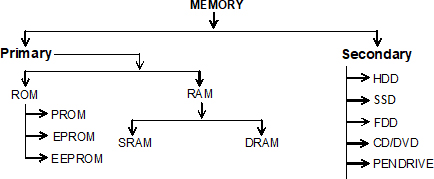
Apart from primary and secondary memory there is another type of memory known as CACHE MEMORY. It stores frequently used data and instructions. It is tiny sort of temporary memory which allows high-speed data access to CPU and makes data retrieval simpler and more efficient. It is the computer’s quickest memory.
1. Primary Memory / Volatile Memory– Primary memory is internal memory of the computer. It is also known as main memory and Temporary memory .Primary Memory holds the data and instruction on which computer is currently working. Primary Memory is nature volatile. It means when power is switched off it lost all data.
Primary memory is generally of two types.
- RAM
- ROM
RAM (Random Access Memory) − It stands for Random Access Memory. RAM is a read /writes memory. It is referred as main memory of the computer system. It is a temporary memory. The information stored in RAM is lost whenever the power supply to the computer is switched off.That’s why RAM is also called “Volatile Memory”.
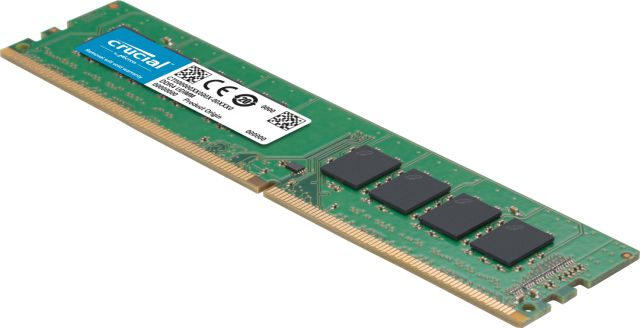
RAM is also of two types which are as follows −
- Static RAM − Static RAM also known as SRAM. In this RAM the information is stored as long as the power supply is ON. SRAM are of higher coast and consume more power .They have higher speed than Dynamic RAM
- Dynamic RAM − Dynamic RAM also known as DRAM, This type of RAM stores information in a very short time basically, a few milliseconds even though the power supply is ON. The Dynamic RAM is cheaper and of moderate speed and also they consume less power.
ROM (Read Only Memory) − It stands for Read Only Memory. ROM is a permanent type of memory. Information stored in ROM is not lost when power supply is switched off. The Content of ROM is inserted by the computer manufacturer and permanently stored at the time of manufacturing. ROM cannot be overwritten by the computer. It is also called Non- Volatile Memory.
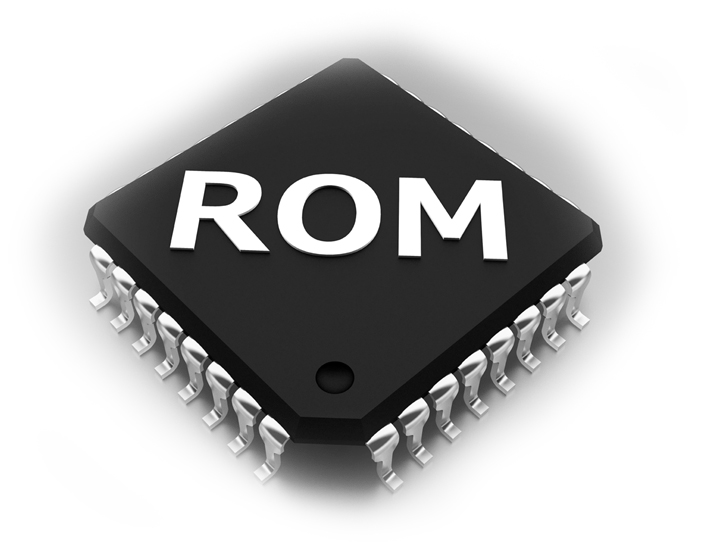
ROM memory has three types’ names which are as following −
- PROM (Programmable Read Only Memory) − It is used to write data once and read many. Once a chip has been programmed, the recorded information cannot be changed. It is a non-volatile memory.
- EPROM (Erasable Programmable Read Only Memory) − EPROM chip can be programmed by erasing the information stored earlier in it. Information stored in EPROM exposing the chip for ultraviolet light.
- EEPROM (Electrically Erasable Programmable Read Only Memory) − It is programmed and erased by special electrical waves in milliseconds. A single byte of data or the entire contents of the device can be erased.
Secondary Memory or Non Volatile Memory
It is an external memory of the computer. It is also known as Auxiliary memory or permanent memory. It is used to store different programs and the information permanently. We call it a non-volatile memory that means the data is stored permanently even if power is switched off.
The secondary storage devices are as follows −
- Magnetic (Hard) Disk
- Floppy Disks
- Magnetic Tapes
- Pen Drive
- Winchester Disk
- Optical Disk(CD,DVD)
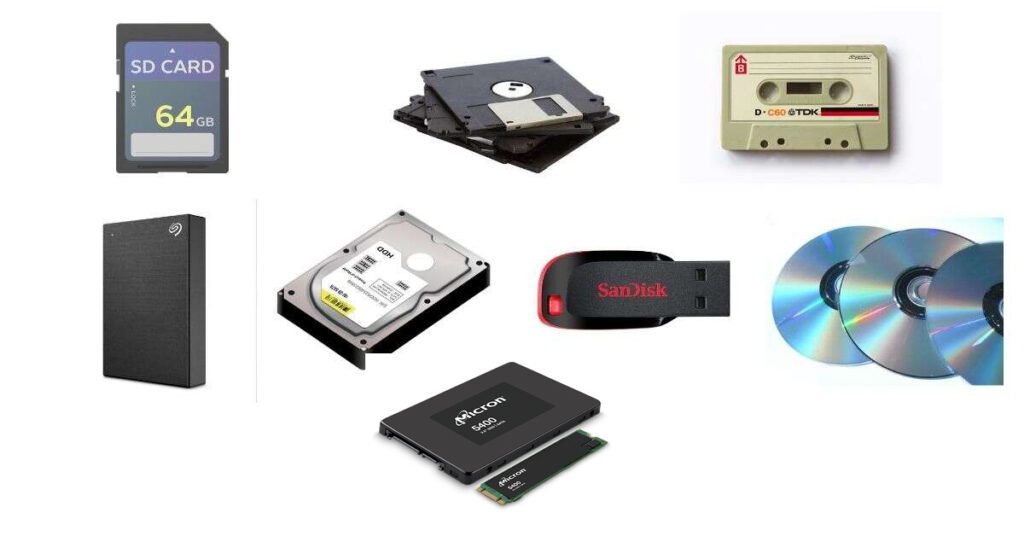
Differences between Primary and Secondary Memory
| Sl. No. | Primary memory | Secondary memory |
| 1 | Primary memory is temporary | Secondary memory is permanent |
| 2 | Primary memory is directly accessible by Processor/CPU | Secondary memory is not directly accessible by CPU |
| 3 | Nature of Parts of Primary memory varies. RAM- volatile in nature. ROM- Non-volatile | It’s always Non-volatile in nature |
| 4 | Primary memory devices are more expensive than secondary storage devices | Secondary memory devices are less expensive when compare to primary memory devices |
| 5 | The memory devices used for primary memory are semiconductor memories | The secondary memory devices are magnetic and optical memories |
| 6 | Primary memory is also known as Main memory or Internal memory | Secondary memory is also known as External memory or Auxiliary memory |
| 7 | Examples: RAM, ROM, Cache memory, PROM, EPROM, Registers etc | Examples: Hard Disk, Floppy Disk, Magnetic Tapes etc |